
Your Briefings
Working with Action Plans
What an action plan contains, how to respond, and how progress is followed up
An action plan connects a finding to something a manager can do. Read why the action was selected, check its goal, and decide whether it fits what you know about the location.
Plans draw on your own operating playbook. Their steps reflect the issue at that location and how your experienced operators would respond.
What an action plan contains
| Part | What it tells you |
|---|---|
| Title and priority | What the plan is about, and whether it is High, Medium, or Low priority |
| Why | The finding behind the plan, with its supporting figures, and why it needs attention |
| Recommended actions | A short list of specific steps, drawn from your playbook and your standard actions |
| Goal | The proposed outcome or check; measurable goals include the relevant baseline and target |
| When | The timeframe for the goal, for example the next full month |
| First step | Where to start |
See an action connected to its evidence
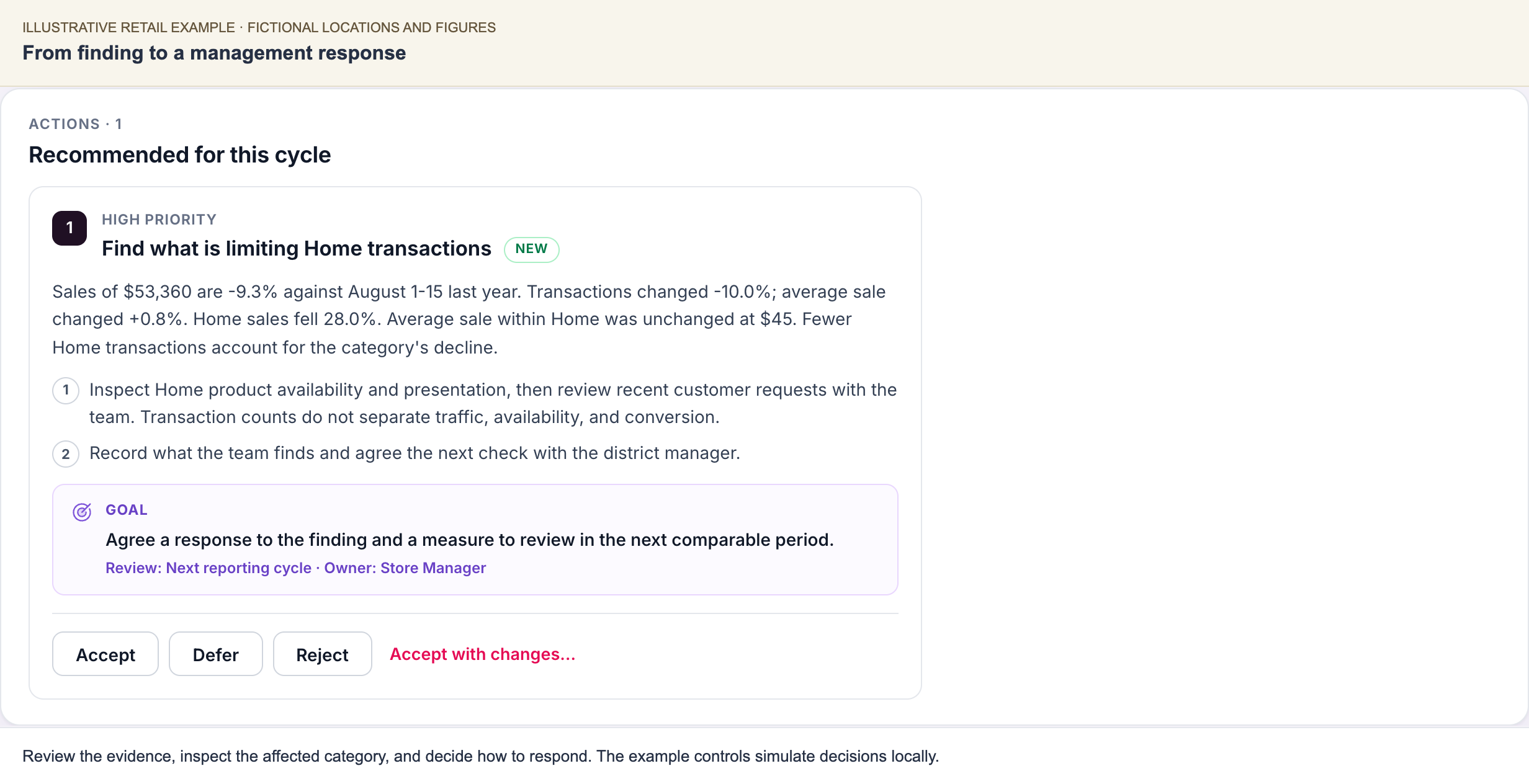
Illustrative example. Home transactions fell 28.0% while average sale remained unchanged. The proposed first step is to inspect the affected category and resolve the operational question.
The goal here is to agree a response and a measure for the next comparable period. Some goals specify a measurable target; others first require a focused check. Read the goal actually included in your briefing. See the complete investigation for why this recommendation follows.
How many plans you receive
The number of plans reflects the findings and severity rating. A location rated Critical or Severe receives more attention than one rated Mild or Healthy. Each plan contains a short list of steps to keep it practical for the manager.
Turn the finding into a useful first step
Read the action against the evidence that prompted it. Identify the affected category or activity and the period being discussed. Then use the first step to decide which records to review, what to inspect, or whom to speak with.
For an illustrative retail example, weakening margin in a particular product group calls for a review of that group's mix and recent pricing activity. The finding gives the manager a focused review; local evidence determines the appropriate response under company policy. A general instruction to improve margin would leave that work undefined.
Some recommendations address an established operating condition. Others help resolve an open question before a corrective action is chosen. Both can be useful. The plan should make the reason for the check clear and keep the proposed work within the manager's responsibilities.
Read the goal as a proposed outcome to review with the manager. Consider the baseline, target, and timeframe together, especially when the baseline covers part of a month and the goal concerns a future full period.
Tracked and untracked steps
Some steps have a measurable target, such as moving a conversion rate to a set level. These are tracked. Later briefings report progress when the prior item and verified progress data are available. Other steps are one-time checks, such as walking the floor or reviewing a report. These are not tracked against a metric, because their value is in what you find.
Responding to a plan
Recommended actions are suggestions until you decide to act on them. Where your rollout includes action responses, use the controls on the plan in the Scoop portal:
- Accept: you will act on it.
- Defer: it is valid, but not for this cycle.
- Reject: it does not fit, and you give a reason.
Use Accept with changes when the action fits but needs an adjustment, and record what you intend to do differently. Reasons for deferring or rejecting an action are useful too. They give our team the local context needed to review the recommendation.
Useful responses name what changes the decision: the work is already under way, a local condition changes the timing, or the proposed action needs a different owner. Include what you plan to do so the decision remains clear at the next review.
If your organization already tracks actions in its own planning or task system, that system remains the system of record. Scoop's recommendations inform it; they do not replace it.
Following up on earlier plans
The Progress on Previously Tracked Items section reports verified updates when prior items and progress data are available. If progress is unavailable, the briefing says so. An unavailable update does not mean the action failed or the metric stayed the same.
Where action follow-up is included in your rollout, managers can record an item's status as:
- Complete: the action was carried out;
- Still working: the action is under way;
- Not implemented: the action was not carried out;
- No longer relevant: circumstances have changed.
These responses distinguish an action's status from the movement in its target metric. Completing an action and seeing the intended result are separate questions. Review both when the evidence is available.
Changing how Scoop recommends actions
If your operators want Scoop to recommend something different, such as a new standard action, a changed threshold, or a different escalation path, they describe the change to our team in plain English. We review the change with you and agree when it will apply.
Related: Reading Your Briefing · How Scoop Works · Key Concepts