
Comparisons · Legacy self-service product
Scoop vs Traditional BI Tools - AI Analyst vs Query Builders
Scoop vs Traditional BI: AI Analyst vs Query Builders
The Fundamental Difference
Traditional BI Tools: Give you powerful ways to query and visualize data
Scoop: Gives you an AI analyst that investigates and discovers insights
Quick Comparison
| Capability | Traditional BI (Tableau, Power BI, Looker) | Scoop AI Analyst |
|---|---|---|
| Core Function | Query and visualize | Investigate and discover |
| User Needs | Know what to ask | Just describe problems |
| Analysis Type | Single queries | Multi-probe investigations |
| Discovery | Manual exploration | Autonomous pattern finding |
| Root Cause | DIY with many queries | Automatic investigation |
| ML/AI | Basic forecasting | Deep ML integration |
| Natural Language | Limited NLQ | Full reasoning engine |
| Time to Insight | Hours to days | Minutes |
| Expertise Required | Data skills needed | Business knowledge only |
Real-World Scenario Comparison
Scenario: "Sales dropped 20% last month"
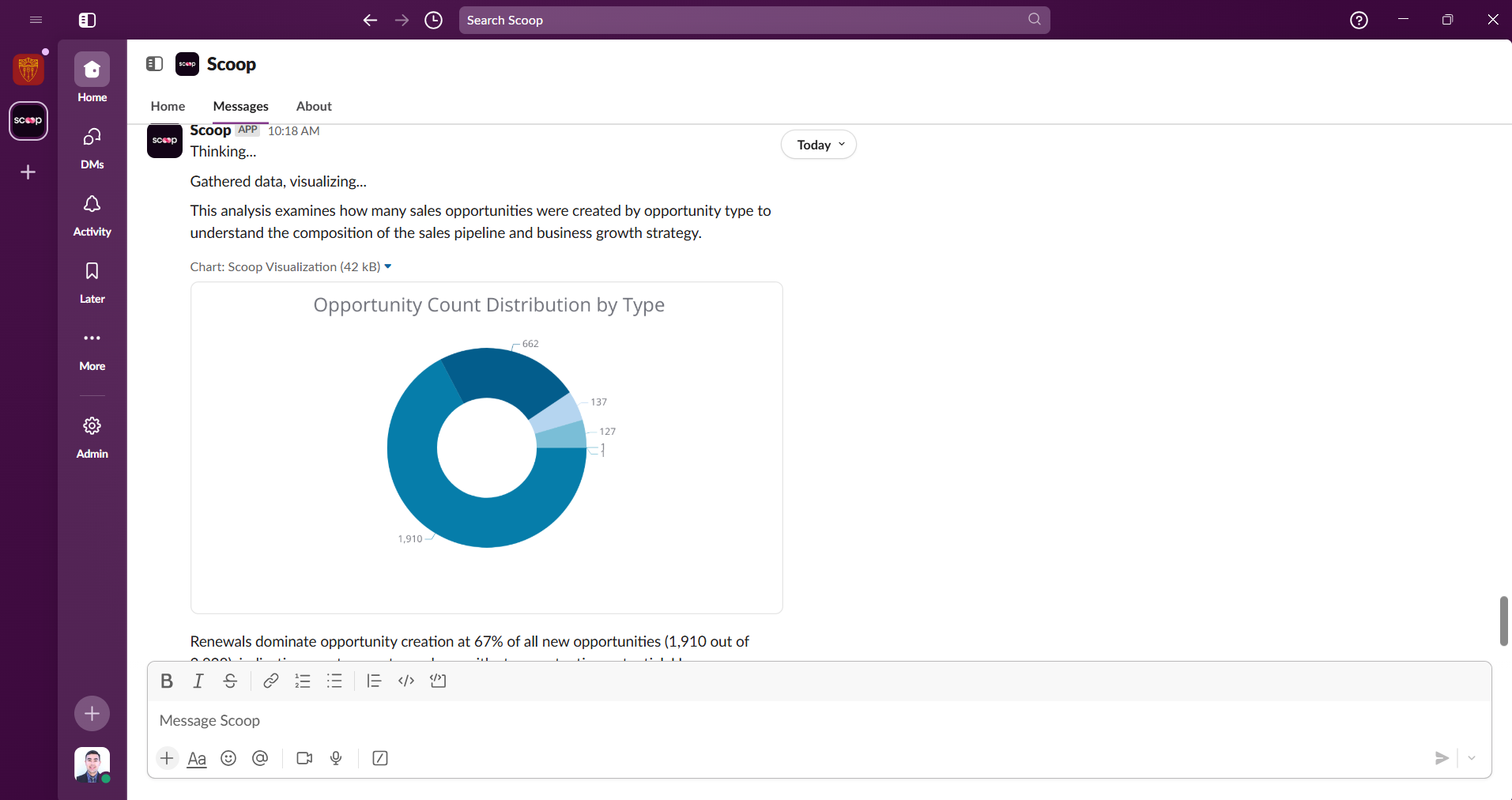
Traditional BI Approach:
- Open dashboard
- Filter to last month
- Create pivot by region → Some regions down more
- Create pivot by product → Some products affected
- Create pivot by sales rep → Mixed results
- Create pivot by customer segment → Enterprise down most
- Filter to enterprise only
- Check various metrics manually
- Export data to Excel
- Try to find patterns
- Maybe find root cause after hours/days
Scoop Approach:
- Type: "Why did sales drop last month?"
- Scoop investigates automatically:
- Analyzes all dimensions simultaneously
- Finds enterprise segment down 45%
- Discovers 3 major accounts churned
- Identifies common factor: support tickets > 7 days
- Shows correlation between support delays and churn
- Provides root cause and action plan
- Get complete answer in 2 minutes
The "Why" Test
Ask "Why did revenue drop?"
Traditional BI:
- "Error: Please be more specific"
- "Select specific metrics and dimensions"
- "Build your analysis manually"
Scoop:
- Creates investigation plan
- Executes multiple analytical probes
- Discovers root causes
- Explains in business terms
- Suggests fixes
Discovery Capabilities
Traditional BI Discovery Process:
- You hypothesize what might be interesting
- You build queries to test each hypothesis
- You manually look for patterns
- You miss what you didn't think to look for
Scoop Discovery Process:
- You say "Analyze my customers"
- AI runs clustering algorithms
- Finds 5-7 natural segments
- Identifies characteristics of each
- Shows you patterns you'd never find manually
- Suggests strategies for each segment
Learning Curve Comparison
Traditional BI Learning Path:
- Week 1: Learn interface basics
- Week 2-4: Understand data model
- Month 2-3: Build first useful reports
- Month 4-6: Learn advanced features
- Ongoing: Stay current with changes
Scoop Learning Path:
- Minute 1: Type your first question
- Minute 2: Get your first insight
- Day 1: Understand investigation patterns
- Week 1: Discovering insights daily
- Ongoing: Just ask better questions
Common Use Cases Compared
Customer Segmentation
Traditional BI:
- Export data
- Use separate statistical tool
- Manually define segments
- Build visualizations
- Interpret results yourself
Scoop:
- "Segment my customers"
- ML clustering runs automatically
- Natural segments discovered
- Business rules explained
- Strategies suggested
Root Cause Analysis
Traditional BI:
- Manually slice data many ways
- Build multiple reports
- Compare visually
- Draw own conclusions
- Hope you checked everything
Scoop:
- "Why did X happen?"
- Systematic investigation
- All factors checked
- Statistical validation
- Root causes ranked
Predictive Analytics
Traditional BI:
- Basic trend lines
- Simple forecasting
- Export for advanced analysis
- Separate ML tools needed
- Technical expertise required
Scoop:
- "What predicts churn?"
- "Forecast next quarter"
- ML models built automatically
- Results explained clearly
- Actions recommended
The Expertise Gap
What Traditional BI Requires:
- Understanding of data structures
- SQL knowledge (often)
- Statistical knowledge
- Visualization best practices
- Domain expertise
- Time for exploration
What Scoop Requires:
- Know your business
- Ask questions in plain English
- Understand the answers
- That's it
ROI Comparison
Traditional BI ROI:
- High software costs
- Training investment
- Analyst headcount
- Slow time to value
- Limited to planned reports
Scoop ROI:
- Lower total cost
- No training required
- Reduce analyst workload
- Immediate value
- Unlimited investigations
When Traditional BI Still Makes Sense:
- Pixel-perfect regulatory reports
- Complex ETL pipelines
- Massive data warehouses (billions of rows)
- Embedded analytics in applications
- Organization already deeply invested
When Scoop Is Better:
- Need answers to "why" questions
- Want to discover unknown patterns
- Rapid investigation required
- Limited technical resources
- Focus on insights over reports
- ML and prediction needs
- Natural language preferred
The Bottom Line
Traditional BI tools are powerful if you know exactly what to ask and how to ask it. They're query engines that require expertise.
Scoop is different. It's an AI analyst that thinks, investigates, and discovers. You don't need to know what to ask - just describe what you want to understand.
Stop building queries. Start discovering insights.
[Try Scoop Free] | [Watch Comparison Demo]