

Monday.com
Analyze CRM pipeline, project tracking, and work management data

Connect Monday.com to Scoop for sophisticated pipeline analysis, deal snapshotting, and work management insights. Track how deals progress through stages, measure team performance, and combine Monday data with other business systems.
AI-Assisted Setup
When connecting Monday.com CRM to Scoop, choose "Guide me with AI" for an intelligent, guided setup experience.
Note: This setup is optimized for Monday's CRM product template (Leads, Contacts, Deals, Accounts boards). Board names may vary in your workspace.
Available Analysis Templates
| Template | Object | Data Mode | Best For | What You'll Analyze |
|---|---|---|---|---|
| Sales Pipeline (Default) | Deals | Snapshot | Deal tracking & forecasting | Deal stage, value, owner, close probability |
| Lead Management | Leads | Snapshot | Lead tracking | Lead status, company, contact info |
| Contacts | Contacts | Sync | Contact database | Contact details, company associations |
| Accounts | Accounts | Sync | Account analysis | Company info, industry, size |
Example Questions You Can Answer
Sales Pipeline:
- "What's our pipeline value by deal stage?"
- "Which deals have the highest close probability?"
- "What's our forecast for this month?"
- "What's our weighted forecast accuracy?"
- "Which stages have the highest drop-off rate?"
Leads:
- "How many new leads came in this week?"
- "What's our lead-to-deal conversion rate?"
- "Which lead sources are most effective?"
- "What's the average time from lead to qualified opportunity?"
- "How does lead quality vary by source?"
Contacts & Accounts:
- "How many contacts are associated with each account?"
- "What industries are our accounts concentrated in?"
- "Which accounts have the most open deals?"
- "What's the average deal size by account industry?"
- "Which accounts have gone quiet recently?"
Need Something Different?
If the templates above don't match your needs, select "Something else" and describe what you want to analyze. For example:
- "I want to track deals by a custom column"
- "I need to combine data from multiple boards"
- "I want to focus on a specific time period"
Scoop's AI will recommend the right configuration for your specific use case.
What You Can Analyze
| Domain | Analysis Types |
|---|---|
| Sales Pipeline | Deal progression, conversion rates, win/loss analysis |
| Forecasting | Pipeline changes, stage movements, close date shifts |
| Team Performance | Rep productivity, deal velocity, workload balance |
| Process Efficiency | Cycle times, bottlenecks, stage duration |
| Work Management | Task completion, project progress, resource allocation |
Monday Instant Recipes
Get started immediately with pre-built analysis templates:
Pipeline Waterfall
Track every shift in your sales pipeline:
- What's been added, removed, won, lost, or resized
- Breakdown by deal owner and deal type
- Drill into specific deals for immediate action
Sales Operations
Comprehensive pipeline health monitoring:
- Current pipeline value and coverage
- Deal aging and stage distribution
- Risk identification and forecasting accuracy
Sales Team Performance
Real-time sales metrics:
- Pipeline performance by rep
- Deal velocity and time-in-stage
- Win rates and deal sizes by owner
Deal Distribution
Understand your business composition:
- Deal types and categories
- Revenue concentration analysis
- Product/service mix over time
Note: Instant recipes extract data from the Deal object in your Monday CRM workspace.
Snapshotting: The Power Feature
Snapshotting is the most valuable capability for Monday users. Scoop automatically captures daily snapshots of your deals, enabling analysis that Monday can't provide natively.
What Snapshotting Enables
| Analysis | Without Snapshots | With Snapshots |
|---|---|---|
| Pipeline movement | Current state only | How pipeline changed this week |
| Deal velocity | Manual tracking | Automatic time-in-stage calculation |
| Conversion rates | Not available | Stage-to-stage conversion % |
| Forecast changes | Lost history | Track every close date shift |
| Win/loss patterns | Final outcome only | Full progression history |
Pro Tip: Enable snapshotting on day one. Sales ops teams typically need 30-90 days of snapshot history for meaningful cycle time and conversion analysis.
Snapshot Metrics
With snapshotting, you can answer:
- "How many deals moved from Proposal to Negotiation this week?"
- "What's the average time deals spend in each stage?"
- "How often do deals push their close dates?"
- "Which reps have the fastest stage progression?"
See Snapshot Datasets for details.
Use Cases: Monday Only
Sales Reporting
Enhanced visualization beyond Monday's native reporting:
- Multi-dimensional pipeline views
- Trend analysis over time
- Custom KPI dashboards
- Presentation-ready visuals
Pipeline Analysis
Deep dive into pipeline dynamics:
- Waterfall showing adds, removes, wins, losses
- Stage conversion funnels
- Deal aging analysis
- Coverage and forecast accuracy
Process Optimization
Understand and improve your sales process:
- Identify stages where deals stall
- Measure cycle time by deal type
- Compare rep performance patterns
- Spot leading indicators of wins
Blending Monday with Other Data
Combining Monday data with other sources unlocks powerful insights:
Monday + Marketing Data
Goal: Connect marketing activities to pipeline
| Monday Data | Marketing Data | Combined Insight |
|---|---|---|
| Deal source | Campaign spend | CAC by campaign |
| Pipeline value | Lead generation | Marketing-influenced pipeline |
| Win rate | Lead quality scores | Source quality analysis |
Monday + Finance
Goal: Connect sales to revenue recognition
- Pipeline to revenue timing
- Forecast accuracy tracking
- Commission calculations
- Revenue by deal type
Monday + Support
Goal: Understand customer journey end-to-end
- Sales process → Support needs
- Deal complexity → Support tickets
- Customer satisfaction by deal type
Connecting to Monday
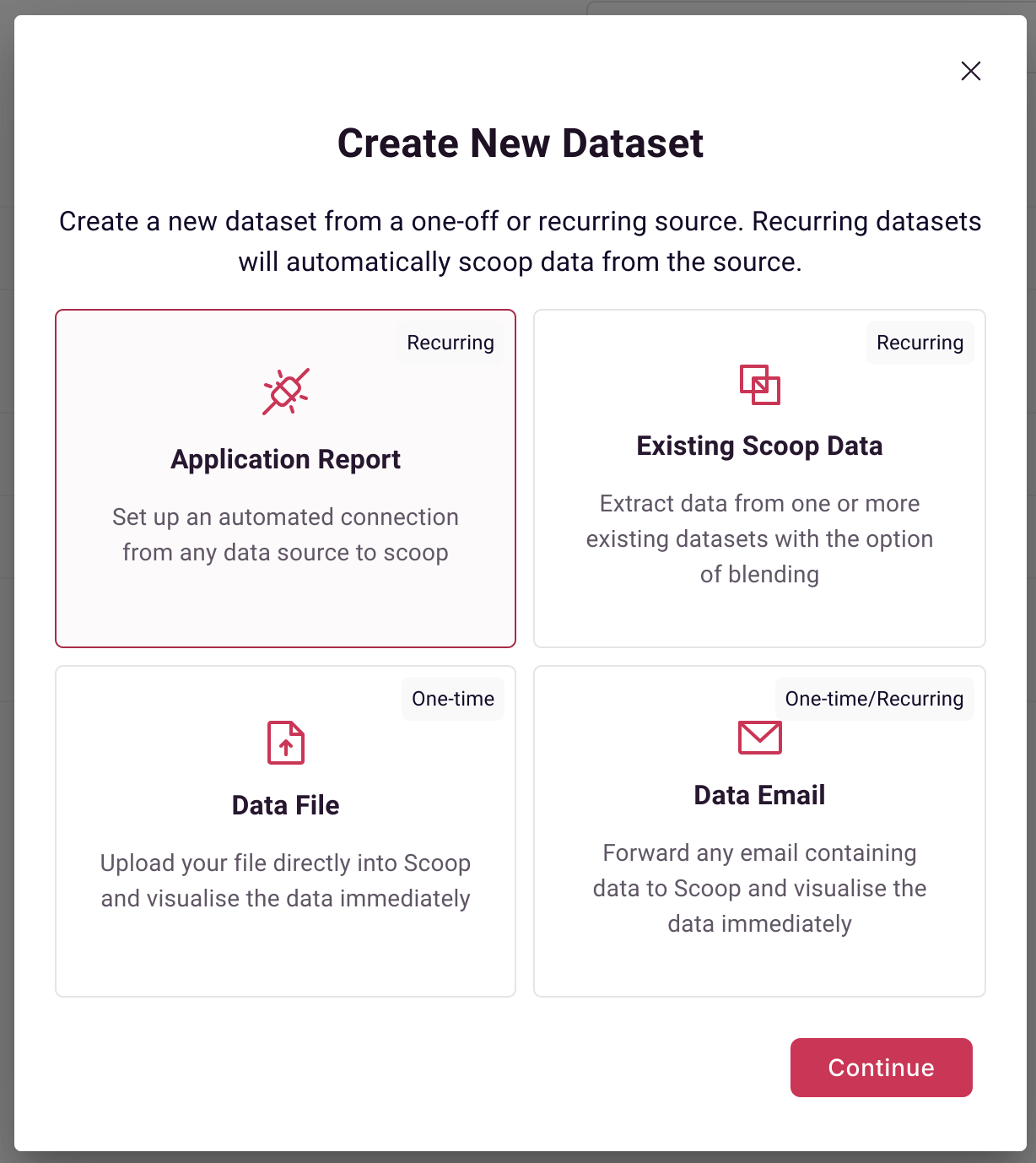
Step 1: Select Applications
On the datasets page, select Applications as a source:
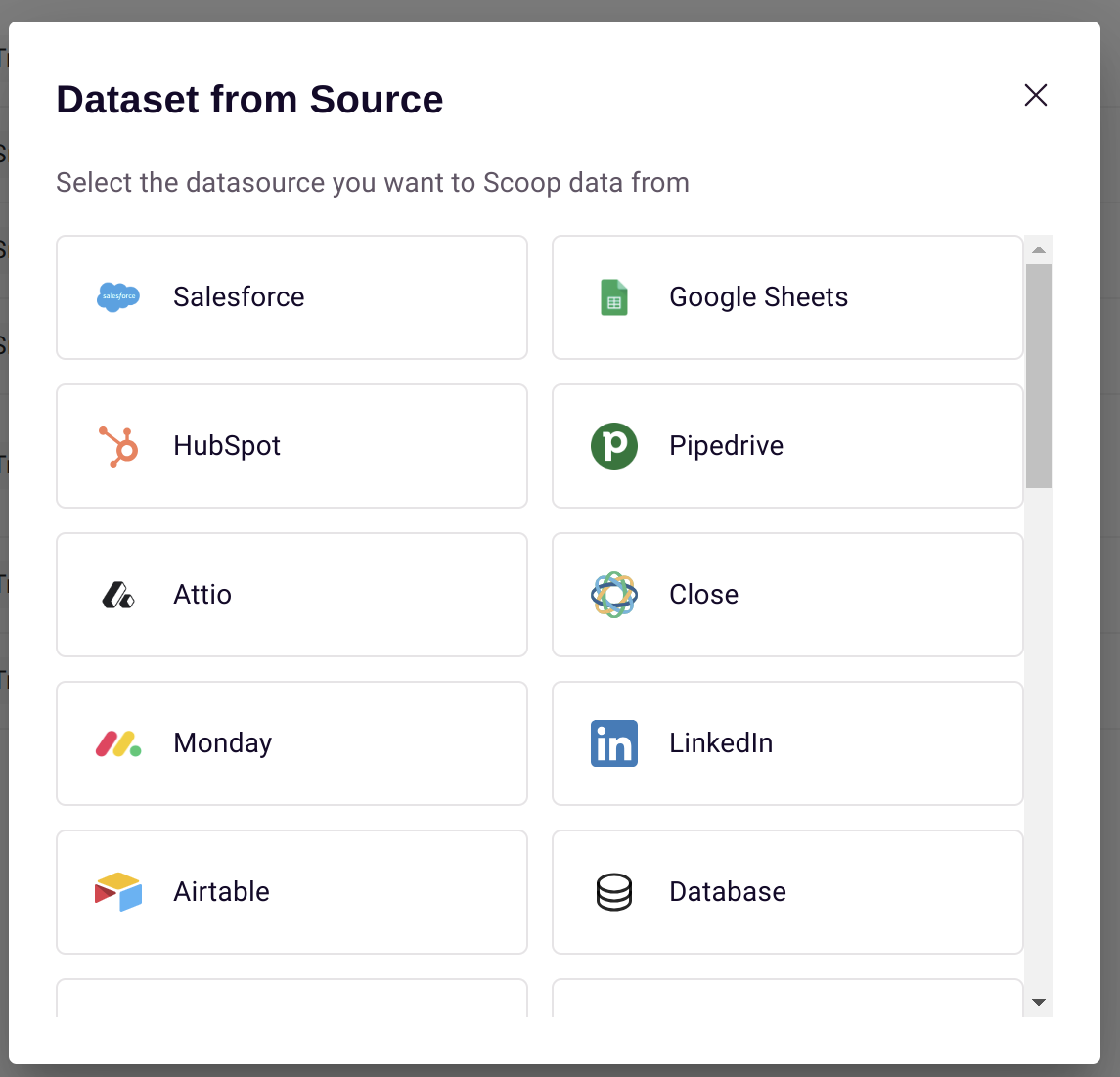
Step 2: Select Monday
Choose Monday from the application list:
Step 3: Select Objects and Fields
Choose which objects and fields to extract:
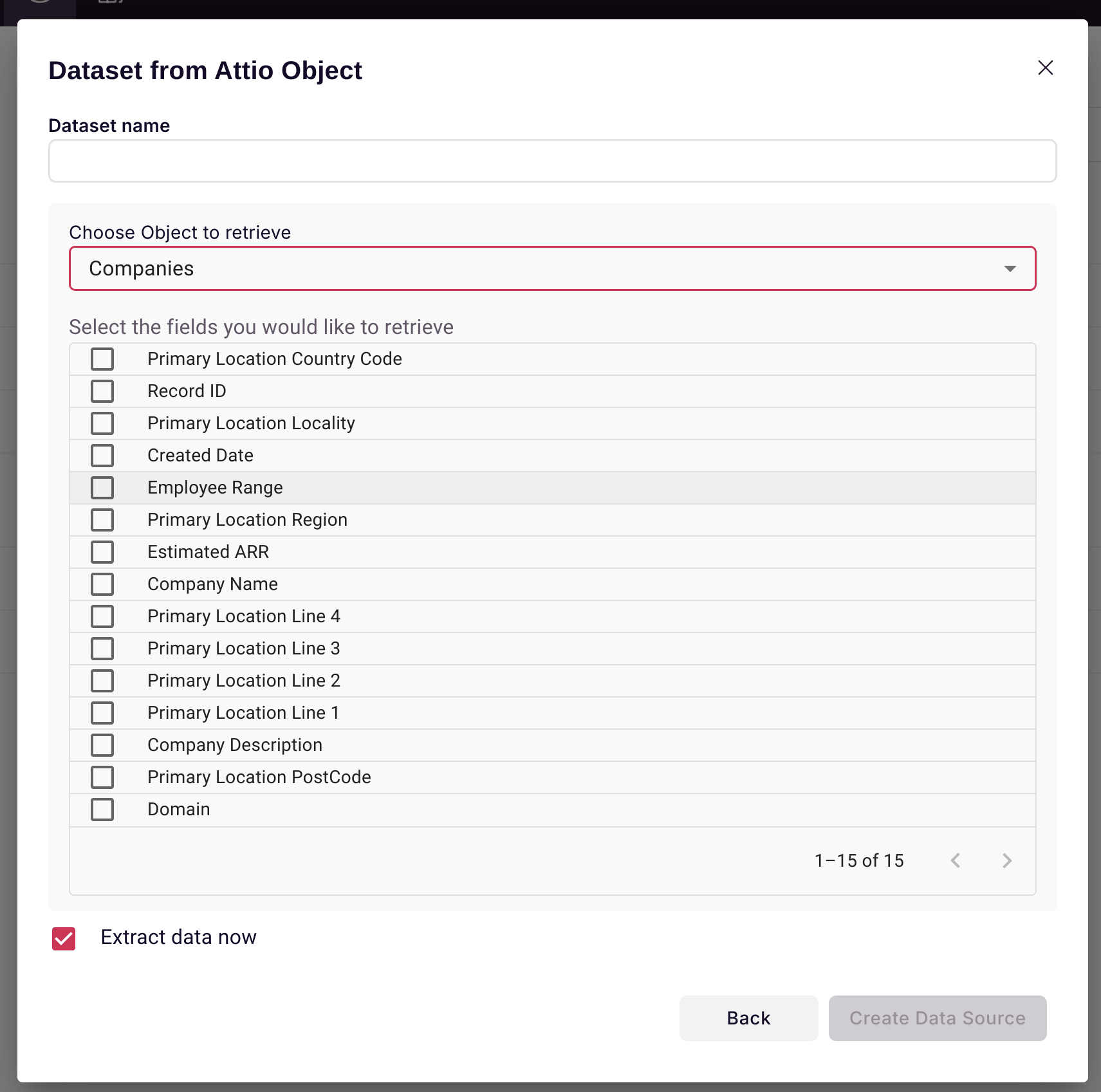
Automatic synchronization includes:
- Deals — Snapshotted daily for process analysis
- Companies — Synced for account-level rollups
- People — Synced for contact analysis
- Users — Synced for rep performance
Recommended Fields
For Pipeline Analysis
| Field | Purpose |
|---|---|
| Deal ID | Unique identifier for snapshotting |
| Stage | Pipeline position tracking |
| Amount | Deal value |
| Owner | Rep assignment |
| Close Date | Forecasting and timing |
| Deal Type | Segmentation |
For Process Analysis
| Field | Purpose |
|---|---|
| Created Date | Age calculation |
| Stage Change Date | Velocity analysis |
| Probability | Forecast weighting |
| Lead Source | Attribution |
Best Practices
Snapshot Configuration
- Let Scoop snapshot Deals daily (automatic)
- Sync Companies for account-level analysis
- Include all stage-related fields
Data Hygiene
- Ensure deals have proper stage assignments
- Keep close dates updated
- Use consistent deal types and categories
Analysis Cadence
| Analysis | Recommended Frequency |
|---|---|
| Pipeline review | Weekly |
| Forecast update | Weekly |
| Process analysis | Monthly |
| Performance review | Monthly/Quarterly |
Troubleshooting
Missing Deals
- Verify Monday API permissions
- Check workspace and board access
- Confirm deal object is selected
Stage Changes Not Tracking
- Ensure snapshot dataset type is configured
- Verify daily syncs are running
- Check that stage field is included
Data Discrepancies
- Compare against Monday dashboard
- Check date range alignment
- Verify filter settings
Related Topics
- Snapshot Datasets - Track deal changes over time
- Process Analysis - Visualize sales funnel
- Blending Datasets - Combine with marketing/finance
- Creating KPIs - Custom sales metrics
Updated 9 months ago