
Scoop Overview
Release Notes
The latest improvements to the Scoop experience
September 2026: a clearer view from district to location
The latest portal updates help managers compare locations and understand the evidence behind a finding. Availability depends on your rollout and the measures and data included in each briefing.
Start with the district totals
The district opening can show combined measures across the included locations, with their recent YoY trends. Managers can read the district result while keeping the differences between locations visible.
Compare two measures across the district
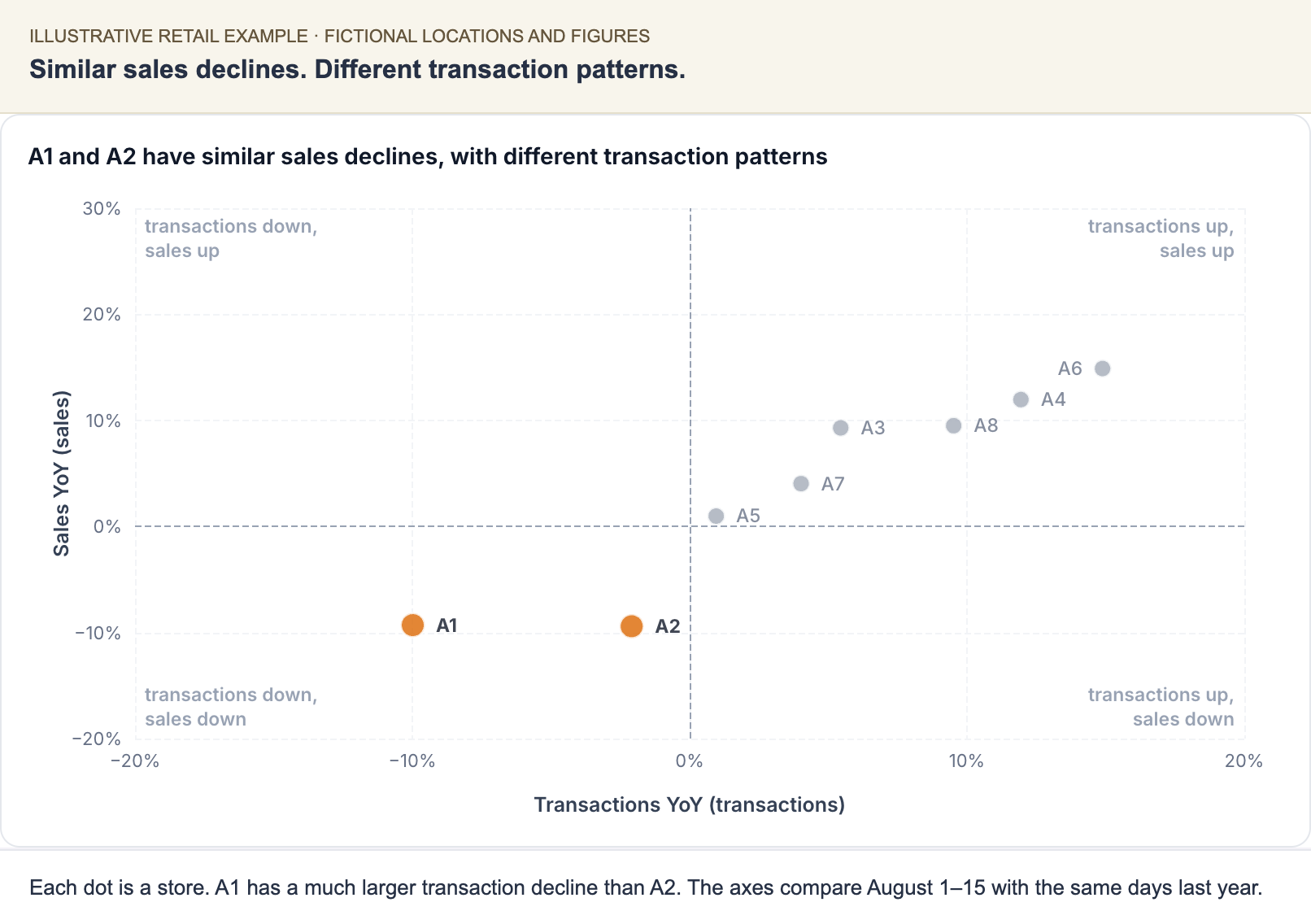
Illustrative example of the new district scatter. A1 and A2 have similar sales declines but different transaction patterns.
The scatter plots locations against two selected measures, with a finding-based title, named locations, and plain quadrant labels. It appears when a suitable comparison is included. The scatter and scorecard are web features and are not included in the current printed layout.
Compare locations with a scorecard
The district or area page can now show key measures side by side for the locations it covers. Cell shading shows relative standing for each measure. A strategic summary and short location notes explain the context behind the numbers. Open a location's briefing from its row when one is available.
Read charts through the finding
Chart titles now state the finding the chart explains. A marked time period or set of categories directs attention to the relevant evidence. Measures keep consistent colors across a page, making comparisons easier to follow.
See the trend behind a key figure
Location metric tiles can now include a small trend line showing how the change against last year has developed over recent months. An unfinished final month is marked with a dashed segment. Lines appear where the briefing includes the supporting series.
Give feedback from one place on the page
The page's Feedback button lets you choose the section you are commenting on and describe what should change. It replaces separate buttons throughout the page.
See The Scoop Portal for the complete reading and action workflow.
Related: What Is Scoop · Working with Action Plans