

Automated Dataset Analysis
From raw data to executive-ready insights in minutes, powered by AI and ML
Scoop Analytics transforms raw data into executive-ready insights through fully automated analysis and presentation generation. Upload your data, and Scoop's AI handles understanding, interpreting, and storytelling—delivering actionable insights in minutes instead of days.
What Is Automated Dataset Analysis?
| Component | What Scoop Does |
|---|---|
| Data Understanding | Automatically detects types, relationships, patterns |
| Insight Discovery | Finds trends, anomalies, segments, drivers |
| Visualization | Selects optimal chart types for each insight |
| Narrative Generation | Writes business-friendly summaries |
| Presentation | Creates complete, branded slide decks |
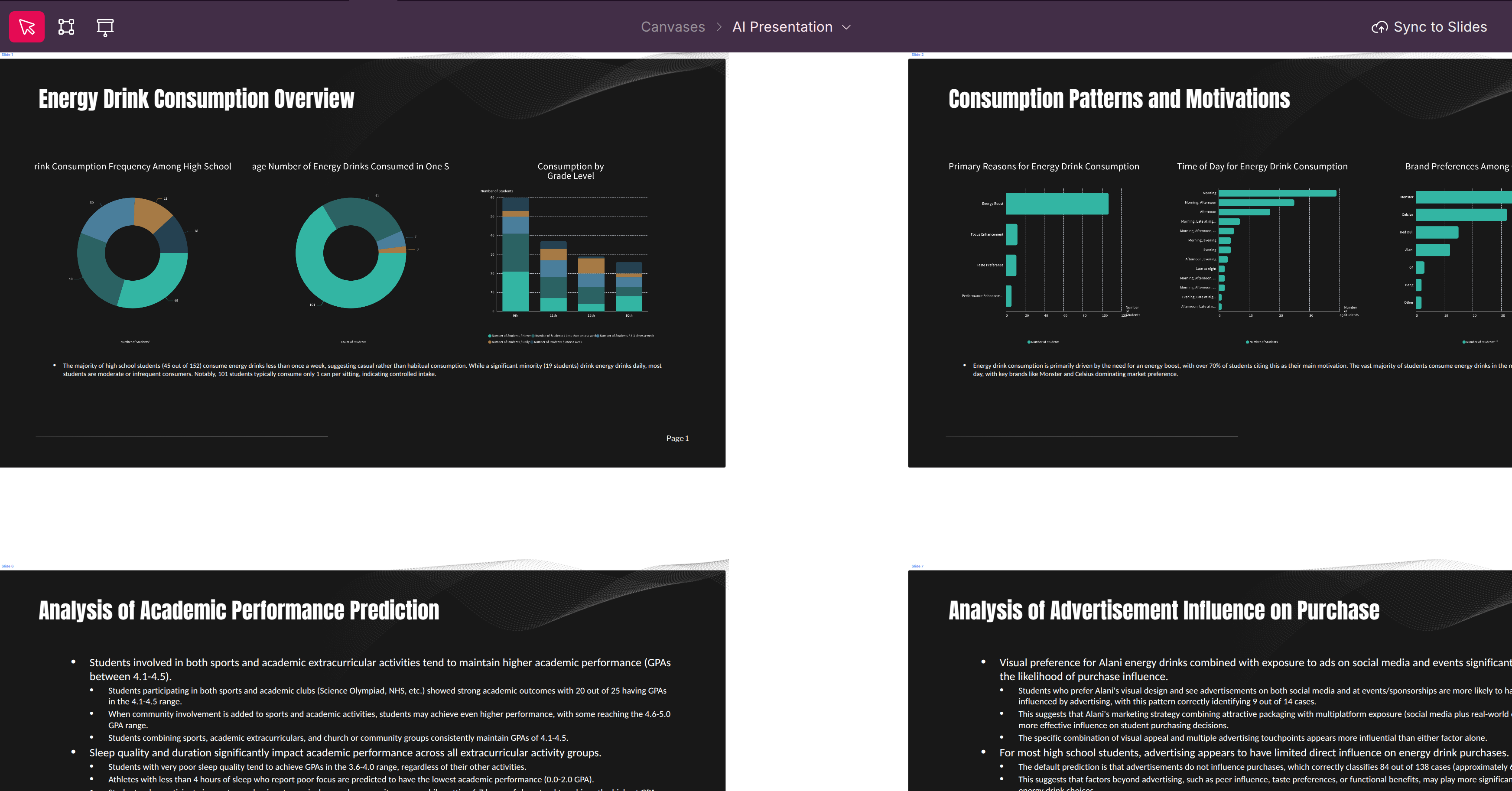
The Automated Analysis Workflow
Upload Data → AI Analysis → Insights → Presentation
     ↓             ↓            ↓            ↓
  Any format   Understand   Discover    Complete deck
  CSV, API,    structure,   patterns,   with visuals
  connector    semantics    drivers     and narrative
What Happens Automatically
- Ingest: Parse file, detect structure, clean data
- Profile: Analyze every column, compute statistics
- Model: Identify relationships and patterns
- Discover: Find segments, trends, anomalies
- Visualize: Create appropriate charts and tables
- Narrate: Write summaries and insights
- Present: Generate complete slide deck
The Anatomy of Automated Analysis
1. Smart Data Ingestion
Scoop automatically handles data complexity:
| Detection | What Scoop Identifies |
|---|---|
| File Structure | Delimiters, headers, encoding |
| Data Types | Dates, numbers, categories, text |
| Embedded Elements | Subtotals, merged cells, notes |
| Quality Issues | Missing values, outliers, inconsistencies |
Automatic Data Cleaning
| Issue | Scoop's Action |
|---|---|
| Missing values | Identifies patterns, suggests handling |
| Duplicate rows | Flags potential duplicates |
| Mixed formats | Normalizes to consistent format |
| Outliers | Detects and highlights for review |
2. Semantic Modeling
Scoop's AI understands what your data means:
| Analysis | Description |
|---|---|
| Column Meaning | Infers business purpose of each field |
| Relationships | Discovers how columns relate |
| Categories | Identifies dimension vs. measure |
| Time Series | Detects date hierarchies |
Automatic Enrichment
| Enhancement | Example |
|---|---|
| Date bucketing | Extract month, quarter, year |
| Age calculations | Days since created, age ranges |
| Derived ratios | Conversion rates, per-unit metrics |
| Category grouping | Combine similar values |
3. Insight Discovery (AI & ML)
Scoop applies multiple analytical techniques automatically:
Segmentation and Clustering
| Method | What It Finds |
|---|---|
| Clustering | Natural groupings in your data |
| Rules Models | Clear descriptions of each segment |
| Profiles | Characteristics of each group |
Example outputs:
- "High-value customers: 23% of base, 67% of revenue, primarily Enterprise tier"
- "At-risk segment: 150 accounts with declining usage and no recent engagement"
Comparisons and Drivers
| Analysis | What You Learn |
|---|---|
| Period comparison | What changed from last quarter |
| Group comparison | What differentiates won vs. lost |
| Driver identification | Which factors matter most |
Trend and Anomaly Detection
| Detection | Description |
|---|---|
| Trends | Rising, falling, seasonal patterns |
| Anomalies | Unusual spikes or drops |
| Correlations | Variables that move together |
Tip: All ML results are explained in plain English, not technical jargon. You'll see clear rules and drivers, not black-box predictions.
4. Automated Visualization
Scoop selects the right chart for each insight:
| Data Pattern | Chart Selected |
|---|---|
| Time series | Line chart |
| Category comparison | Bar or column chart |
| Part of whole | Pie or donut chart |
| Distribution | Histogram |
| Correlation | Scatter plot |
| Summary metrics | KPI cards |
Chart Intelligence
| Feature | Description |
|---|---|
| Right chart type | Selected based on data characteristics |
| Optimal formatting | Labels, legends, colors applied |
| Responsive sizing | Adapts to slide/canvas layout |
| Interactive elements | Drill-down and filtering enabled |
5. Narrative Generation
Scoop writes the story of your data:
| Narrative Type | Content |
|---|---|
| Executive Summary | Top-level themes and takeaways |
| Insight Summaries | Business interpretation of each finding |
| Metric Commentary | Context for key numbers |
| Recommendations | Suggested actions based on patterns |
Example Narratives
Executive Summary:
"Revenue grew 12% this quarter, driven primarily by Enterprise segment expansion. However, SMB churn increased to 8%, warranting attention. Three regions significantly outperformed targets."
Insight Summary:
"Won deals spend 40% less time in the Proposal stage compared to lost deals, suggesting faster quote turnaround correlates with success."
What You'll Experience
Instant Data Understanding
Within moments of upload, you'll see:
| Output | Description |
|---|---|
| Data Profile | Every column analyzed and described |
| Quality Report | Issues identified with suggestions |
| Statistics | Distributions, ranges, top values |
| Initial Insights | First patterns detected |
Guided Discovery
Explore your data with AI assistance:
| Capability | How It Works |
|---|---|
| Smart Questions | AI suggests what to ask |
| Natural Language | Ask in plain English |
| Drill-Down | Click any insight to explore deeper |
| Comparison | "Show me this vs. last quarter" |
Complete Presentations
Receive ready-to-share slide decks:
| Element | Included |
|---|---|
| Cover slide | Title, date, branding |
| Executive summary | Key takeaways |
| Insight slides | Visualizations + narratives |
| Detail appendix | Supporting data |
| Your branding | Colors, fonts, logo |
How Scoop Differs from Traditional Tools
| Aspect | Traditional BI | Data Science | Scoop |
|---|---|---|---|
| Setup time | Days to weeks | Weeks | Minutes |
| Skills needed | SQL, modeling | Python, statistics | None |
| Analysis | Manual queries | Manual modeling | Automated |
| Insights | You interpret | You interpret | AI interprets |
| Output | Dashboard | Notebook | Presentation |
| Accuracy | You validate | You validate | Validated on real data |
Key Differentiators
| Feature | Benefit |
|---|---|
| End-to-end automation | No coding, SQL, or manual wrangling |
| Integrated AI reasoning | Interprets data, not just displays it |
| Interpretable ML | Explains findings in business terms |
| Real BI accuracy | Queries validated, not hallucinated |
| Presentation-first | Insights ready to share immediately |
Using Automated Analysis
Step 1: Upload or Connect Data
| Method | Process |
|---|---|
| File upload | Drag CSV or Excel into Scoop |
| SaaS connector | Connect to 100+ apps via OAuth |
| Database | Connect to warehouse or database |
Step 2: Review Data Profile
Scoop shows you:
- Column summaries and statistics
- Detected data types
- Quality issues found
- Initial observations
Step 3: Explore Insights
Browse AI-discovered insights:
- Segments and clusters
- Trends and changes
- Drivers and correlations
- Anomalies and outliers
Step 4: Generate Presentation
Click to create:
- Complete slide deck
- Canvas dashboard
- Exportable report
Step 5: Customize (Optional)
Modify as needed:
- Edit narratives
- Adjust visualizations
- Add your analysis
- Apply branding
Best Practices
Data Preparation
| Practice | Why |
|---|---|
| Include context fields | More dimensions enable richer analysis |
| Keep raw data | Let Scoop handle transformations |
| Include dates | Enables time-based insights |
| Use descriptive headers | Helps AI understand columns |
Working with Results
| Tip | Description |
|---|---|
| Review executive summary first | Get the big picture |
| Drill into surprises | Explore unexpected findings |
| Validate key metrics | Confirm critical numbers |
| Add your context | Enhance AI narratives with domain knowledge |
Sharing Insights
| Action | How |
|---|---|
| Export to PowerPoint | Download complete deck |
| Share canvas | Provide interactive link |
| Schedule updates | Automated refresh and distribution |
Security and Control
| Assurance | Description |
|---|---|
| Enterprise security | All processing in secure cloud |
| Your data, your control | Data never shared or used for training |
| Transparent processing | Every step visible and auditable |
| Reproducible results | Same data produces same insights |
Related Topics
- Segmentation and Clustering - Deep dive on segments
- Understanding Recipes - Pre-built analysis workflows
- Creating KPIs - Custom metrics
- Visual Themes - Branding presentations
Updated 11 months ago